
Managing business finances accurately is essential for long-term success. Whether you run a small startup, a growing company, or a large enterprise, keeping track of income, expenses, invoices, payroll, taxes, and financial reports manually can be time-consuming and prone to errors. Accounting software simplifies these tasks by automating financial processes and helping businesses maintain accurate records.
Modern accounting software provides tools for bookkeeping, invoicing, payroll, bank reconciliation, tax preparation, inventory management, and financial reporting. In addition, cloud accounting software has become increasingly popular because it allows businesses to access financial information securely from anywhere while enabling real-time collaboration among accountants, finance teams, and business owners.
This guide explains everything you need to know about accounting software, including its features, benefits, types, and how to choose the right solution for your business.
What Is Accounting Software?
Accounting software is a digital solution designed to record, organize, and manage financial transactions. It helps businesses automate bookkeeping, generate invoices, monitor cash flow, process payroll, calculate taxes, and prepare financial reports.
Instead of using spreadsheets or paper records, businesses can store all financial data in one secure system, making it easier to manage daily accounting operations while improving accuracy.
Most accounting software includes:
- General ledger
- Accounts payable
- Accounts receivable
- Expense tracking
- Invoicing
- Payroll management
- Bank reconciliation
- Financial reporting
- Tax management
- Inventory tracking
Many businesses now prefer cloud accounting software, which provides online access, automatic updates, secure backups, and easy collaboration from any location.
Why Is Accounting Software Important?
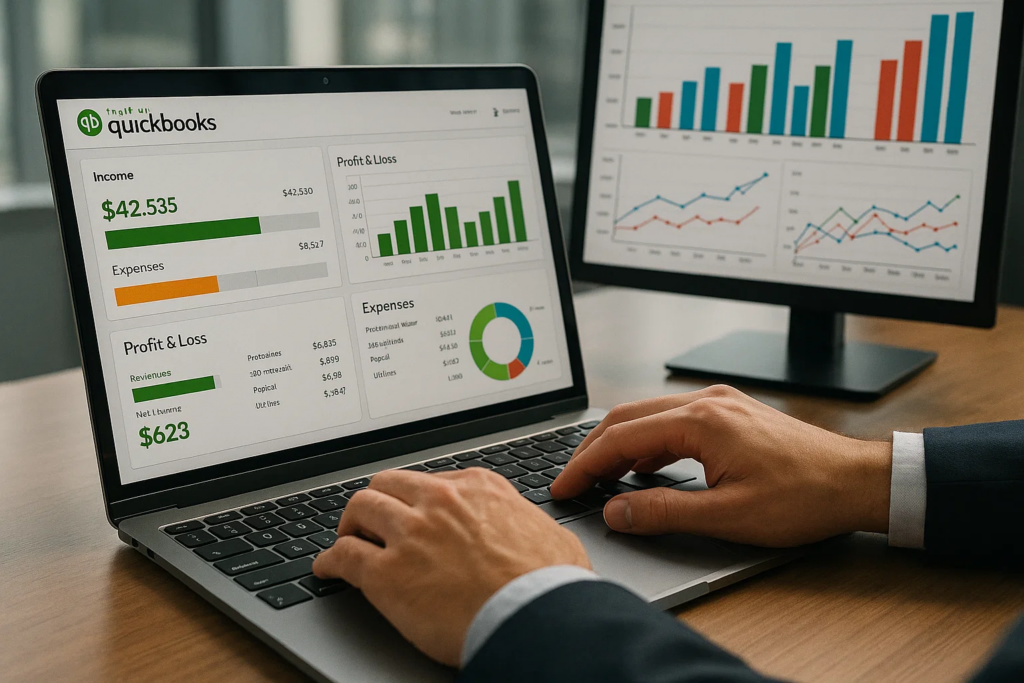
Accounting software helps businesses save time, reduce errors, and make informed financial decisions.
Some of its major benefits include:
- Automates repetitive accounting tasks
- Improves financial accuracy
- Reduces paperwork
- Saves valuable time
- Generates real-time financial reports
- Simplifies tax preparation
- Improves cash flow management
- Supports business growth
- Enhances financial security
- Helps maintain regulatory compliance
By automating manual processes, businesses can focus more on growth and customer service instead of routine bookkeeping.
Types of Accounting Software
There are several types of accounting software available to meet different business needs.
1. Desktop Accounting Software
Desktop accounting software is installed on a local computer and stores data on the device. It is suitable for businesses that prefer offline access and local data management.
2. Cloud Accounting Software
Cloud accounting software stores financial information on secure online servers. Users can access their accounts from any internet-connected device while benefiting from automatic backups, software updates, and real-time collaboration.
3. Enterprise Accounting Software
Large organizations use enterprise accounting software to manage multiple departments, currencies, locations, and complex financial operations.
4. Industry-Specific Accounting Software
Some solutions are designed for industries such as construction, healthcare, retail, hospitality, manufacturing, and nonprofit organizations, offering specialized features and reports.
Key Features of Accounting Software
The best accounting software provides a wide range of tools that simplify financial management.
General Ledger
Records every financial transaction and serves as the foundation of the accounting system.
Invoicing
Create professional invoices, automate recurring billing, and track customer payments.
Expense Tracking
Monitor business expenses, organize receipts, and categorize spending.
Accounts Payable and Receivable
Manage supplier payments, customer invoices, outstanding balances, and payment histories.
Payroll Management
Calculate salaries, deductions, taxes, and employee payments accurately.
Bank Reconciliation
Automatically compare bank statements with accounting records to identify discrepancies.
Financial Reporting
Generate reports such as:
- Balance Sheet
- Profit and Loss Statement
- Cash Flow Statement
- Tax Reports
- Expense Reports
Inventory Management
Track inventory levels, product costs, and purchase orders for better stock control.
Tax Management
Simplify tax calculations, prepare reports, and maintain compliance with local tax regulations.
AI Automation
Modern accounting software uses artificial intelligence to automate bookkeeping, categorize expenses, recognize invoices, forecast cash flow, and detect unusual financial activities.
Benefits of Cloud Accounting Software
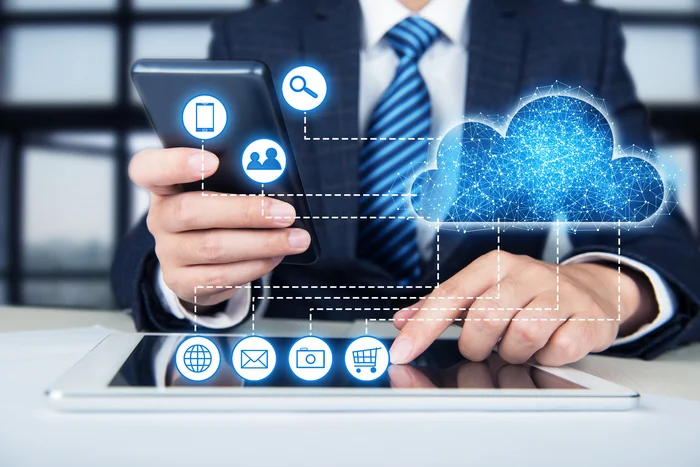
Although traditional accounting software remains useful, many businesses now choose cloud accounting software because of its flexibility and accessibility.
Its benefits include:
- Access financial data from anywhere
- Automatic cloud backups
- Secure data encryption
- Multi-user collaboration
- Automatic software updates
- Mobile accessibility
- Easy integration with banking and payment systems
- Lower IT maintenance costs
- Better scalability as businesses grow
These advantages make cloud accounting software an excellent option for remote teams and businesses with multiple locations.
How to Choose the Best Accounting Software
Selecting the right accounting software depends on your business requirements.
Consider the following factors before making a decision:
- Business size
- Budget
- Ease of use
- Security features
- Cloud accessibility
- Reporting capabilities
- Payroll support
- Inventory management
- Integration with existing software
- Customer support
- Scalability
Choosing software that can grow with your business helps avoid costly migrations in the future.
Best Practices for Using Accounting Software
To maximize the benefits of accounting software, follow these best practices:
- Record transactions regularly.
- Reconcile bank accounts monthly.
- Keep financial records organized.
- Back up important financial data.
- Restrict user access based on roles.
- Use strong passwords and multi-factor authentication.
- Review financial reports frequently.
- Keep the software updated.
- Train employees on proper usage.
- Integrate accounting software with other business applications where possible.
Common Mistakes to Avoid
Businesses should avoid these common accounting mistakes:
- Delaying transaction entries
- Ignoring bank reconciliation
- Mixing personal and business finances
- Failing to back up data
- Choosing software with limited scalability
- Ignoring software updates
- Not reviewing financial reports regularly
- Poor user access management
Avoiding these mistakes improves financial accuracy and business efficiency.
Frequently Asked Questions
1. What is accounting software?
Accounting software is a digital application that helps businesses manage bookkeeping, invoicing, payroll, expenses, taxes, and financial reporting from a centralized platform.
2. What is cloud accounting software?
Cloud accounting software is an online accounting solution that allows users to access financial information from any internet-connected device while providing automatic backups, updates, and secure data storage.
3. What are the benefits of accounting software?
Accounting software improves accuracy, saves time, automates bookkeeping, simplifies tax preparation, enhances reporting, and helps businesses make better financial decisions.
4. How do I choose the best accounting software?
Consider your business size, budget, required features, ease of use, security, integrations, scalability, and customer support before selecting accounting software.
5. Is cloud accounting software better than desktop accounting software?
Cloud accounting software offers remote access, automatic updates, real-time collaboration, and secure cloud storage, while desktop accounting software is better suited for businesses that prefer offline access and local data management.
Conclusion
Accounting software has become an essential business tool for managing financial operations efficiently and accurately. It automates bookkeeping, invoicing, payroll, expense tracking, tax management, and financial reporting, helping businesses save time and reduce errors. As organizations continue adopting digital solutions, cloud accounting software provides additional benefits such as remote access, real-time collaboration, automatic backups, and enhanced security. Choosing the right accounting software based on your business needs, budget, and future growth plans can improve productivity, strengthen financial management, and support long-term business success.