In today’s data-driven world, businesses need powerful tools to plan, forecast, and analyze performance in real time. Software TM1, now known as IBM Planning Analytics powered by TM1, has become one of the most trusted solutions for financial planning and enterprise performance management.
This comprehensive guide explores everything you need to know about TM1 software—its features, benefits, use cases, and why it remains a top choice for organizations worldwide.
What is Software TM1?
Software TM1 is an advanced enterprise performance management (EPM) tool developed by IBM. It is designed to help businesses with:
- Financial planning
- Budgeting and forecasting
- Data analysis
- Reporting and dashboards
TM1 stands out because of its in-memory OLAP (Online Analytical Processing) engine, which allows users to process large volumes of data quickly and efficiently.
Evolution of TM1 Software
TM1 has evolved significantly over the years.
From TM1 to IBM Planning Analytics
Originally developed as a standalone tool, TM1 is now part of IBM Planning Analytics, offering enhanced capabilities such as:
- Cloud deployment
- AI-powered insights
- Advanced visualization tools
This evolution has made TM1 more powerful and accessible for modern businesses.
Key Features of Software TM1
TM1 offers a wide range of features that make it a powerful planning and analytics tool.
1. In-Memory Data Processing
Why It Matters
TM1 stores data in memory rather than on disk, which allows:
- Faster calculations
- Real-time data updates
- Improved performance
2. Multidimensional Analysis (OLAP)
What It Does
TM1 allows users to analyze data across multiple dimensions such as:
- Time
- Geography
- Products
- Departments
This makes it easier to uncover insights and trends.
3. Real-Time Planning and Forecasting
Benefits
- Immediate updates across all users
- Collaborative planning
- Accurate forecasting
Teams can work simultaneously without delays.
4. Flexible Data Modeling
Advantages
- Customizable structures
- Easy data integration
- Scalable architecture
This flexibility allows businesses to adapt TM1 to their specific needs.
5. Advanced Reporting and Dashboards
Features
- Interactive dashboards
- Visual reports
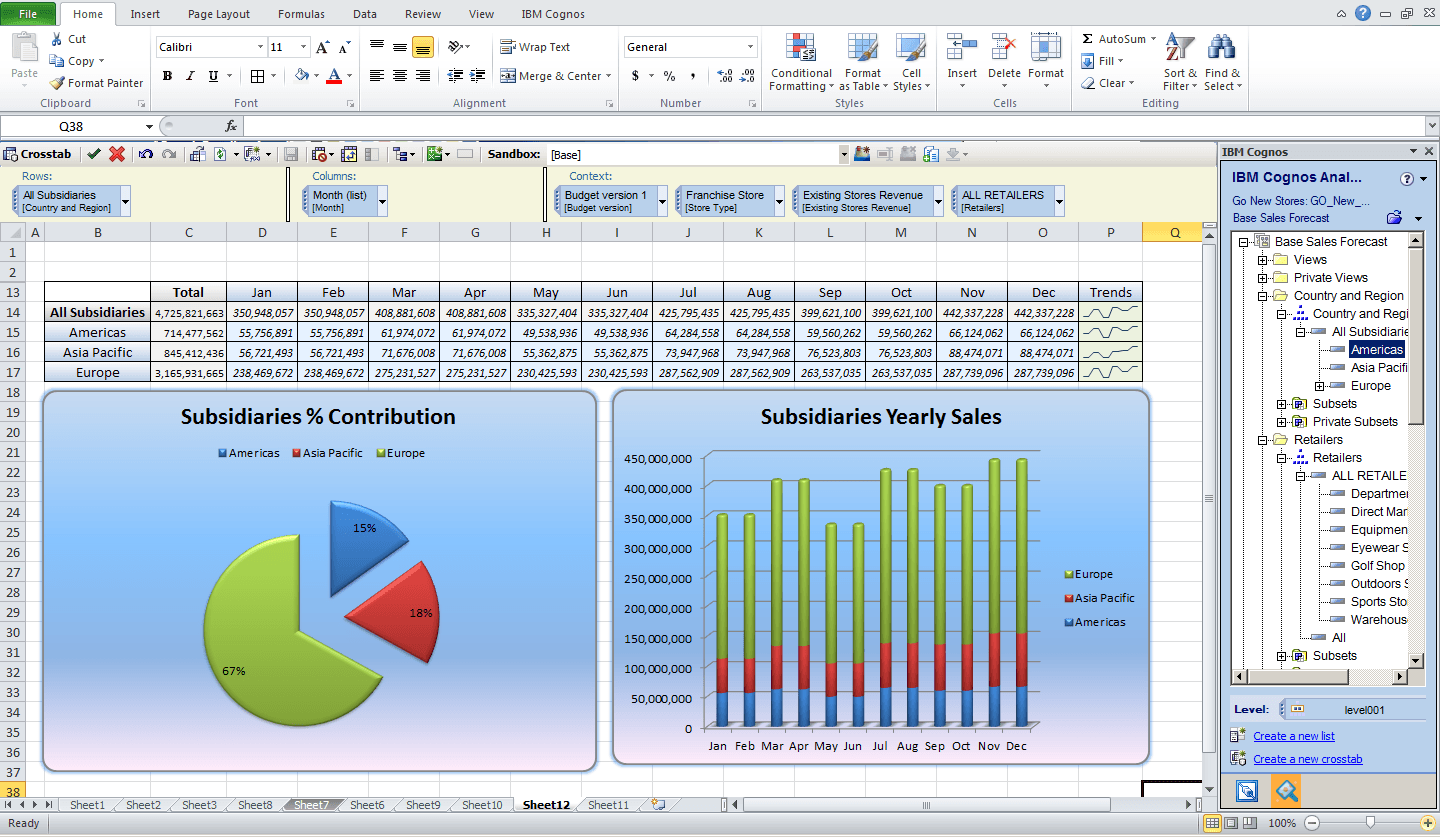
- Excel integration
Users can create detailed reports with minimal effort.
6. Security and Data Control
Key Highlights
- Role-based access
- Data-level security
- Audit trails
This ensures sensitive business data remains protected.
Benefits of Using TM1 Software

Organizations across industries rely on TM1 for its numerous benefits.
Improved Decision-Making
With real-time data and advanced analytics, businesses can make faster and more informed decisions.
Increased Efficiency
Automation reduces manual work, saving time and minimizing errors.
Better Collaboration
Multiple users can work on the same data simultaneously, improving teamwork and productivity.
Scalability
TM1 can handle growing data volumes and business complexity without performance issues.
Common Use Cases of TM1
TM1 is used across various departments and industries.
1. Financial Planning and Budgeting
Businesses use TM1 to:
- Create budgets
- Monitor expenses
- Forecast revenue
2. Sales Planning
TM1 helps organizations:
- Analyze sales performance
- Predict future trends
- Optimize strategies
3. Workforce Planning
Companies can:
- Plan staffing needs
- Manage payroll budgets
- Analyze workforce data
4. Supply Chain Analysis
TM1 supports:
- Inventory planning
- Demand forecasting
- Cost optimization
TM1 vs Other Planning Tools
Let’s compare TM1 with other popular tools.
TM1 vs Excel
TM1 Advantages
- Real-time updates
- Better data control
- Scalability
Excel Limitations
- Manual processes
- Risk of errors
- Limited collaboration
TM1 vs Cloud EPM Tools
TM1 Strengths
- Powerful in-memory engine
- Deep customization
- Strong performance
Cloud Tools Advantages
- Easier deployment
- Lower upfront costs
TM1 offers a balance between power and flexibility.
Deployment Options for TM1
TM1 provides multiple deployment choices.
1. On-Premise
Pros
- Full control over data
- Custom configurations
Cons
- Higher maintenance costs
2. Cloud Deployment
Pros
- Easy access
- Lower infrastructure costs
- Automatic updates
Cons
- Dependence on internet connectivity
3. Hybrid Model
Combines the benefits of both on-premise and cloud solutions.
Challenges of Using TM1 Software
While TM1 is powerful, it comes with some challenges.
Learning Curve
New users may find TM1 complex initially.
Solution
Provide proper training and documentation.
Cost
TM1 can be expensive for small businesses.
Solution
Evaluate ROI before investing.
Implementation Time
Setting up TM1 can take time.
Solution
Work with experienced consultants.
Best Practices for Using TM1
To maximize the value of TM1:
- Train your team regularly
- Keep data organized
- Use automation features
- Monitor performance
- Update models frequently
Future of TM1 Software
The future of TM1 is closely tied to advancements in technology.
AI and Machine Learning Integration
TM1 is evolving with AI capabilities for:
- Predictive analytics
- Automated insights
- Smarter forecasting
Enhanced Cloud Capabilities
Cloud adoption will continue to grow, making TM1 more accessible.
Improved User Experience
Future updates will focus on:
- Simpler interfaces
- Better visualization
- Faster performance
Why Businesses Still Choose TM1
Despite new tools entering the market, TM1 remains a top choice because of:
- Proven reliability
- High performance
- Flexibility
- Strong analytics capabilities
It continues to deliver value for organizations with complex planning needs.
Tips for Choosing TM1 for Your Business
Before adopting TM1, consider:
Business Needs
Ensure it aligns with your goals.
Budget
Evaluate costs vs benefits.
Team Skills
Check if your team can handle the tool.
Integration
Make sure it works with your existing systems.
FAQ’s
What is TM1 software used for?
TM1 is an enterprise planning solution developed by IBM, mainly used for financial planning, budgeting, and forecasting. Organizations rely on it to manage budgets, analyze financial data, and support better decision-making across departments.
Is TM1 an ERP system?
No, TM1 is not a full ERP system. Instead, it is an enterprise performance management (EPM) tool that enhances planning processes. It works alongside ERP systems by providing advanced capabilities like budgeting, forecasting, reporting, and data analysis.
What is a TM1 system?
TM1 (Table Manager 1) is a multidimensional, in-memory OLAP database system. It uses a cell-based structure to process and analyze large volumes of data quickly, enabling real-time insights and faster calculations.
What are TM1 applications?
TM1 applications are structured environments that act like organized workspaces. They group related TM1 objects, reports, files, and links into one place, making it easier for users to manage tasks based on specific roles or business functions.
What are 5 examples of software applications?
Here are five common types of software applications:
- Word processing software – e.g., Microsoft Word, Google Docs
- Web browsers – e.g., Google Chrome, Mozilla Firefox
- Spreadsheet software – e.g., Microsoft Excel, Google Sheets
- Presentation software – e.g., PowerPoint, Google Slides
- Database software – e.g., MySQL, Microsoft Access
These tools are widely used for everyday business and personal tasks.
Conclusion
Software TM1 is a powerful and reliable solution for businesses looking to improve planning, forecasting, and data analysis. With its advanced features, real-time capabilities, and flexibility, it remains a leading tool in enterprise performance management. Whether you’re a growing company or a large enterprise, TM1 can help you make smarter decisions, improve efficiency, and stay competitive in today’s fast-paced business environment.