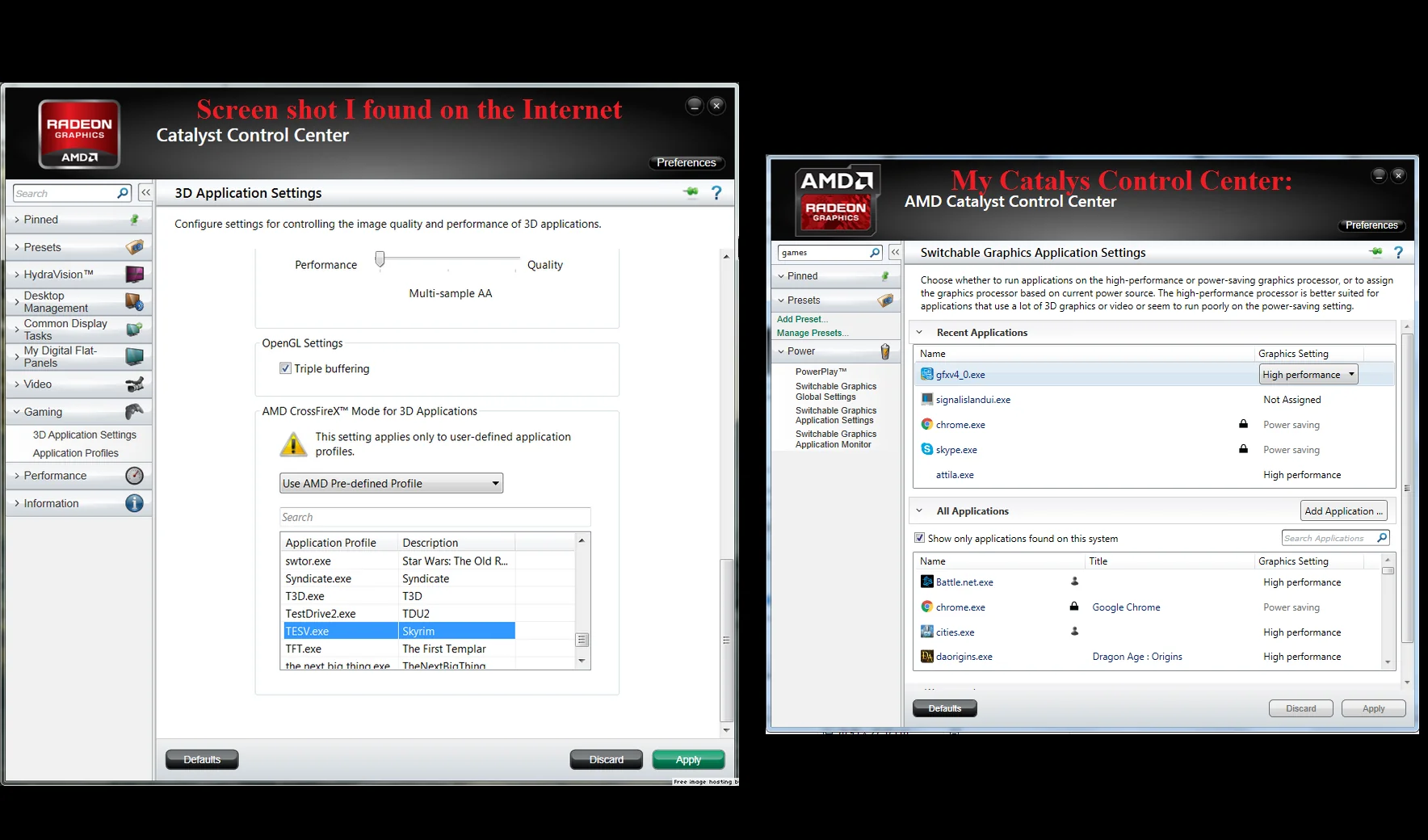
AMD Crimson Software was one of the most significant updates in AMD’s graphics driver history. Introduced as a replacement for the aging Catalyst Control Center, Radeon Software Crimson Edition brought a faster interface, improved gaming performance, better stability, and a more user-friendly experience for AMD Radeon graphics card users.
For gamers, content creators, and PC enthusiasts, AMD Crimson Software represented a major step forward in graphics driver technology. It simplified GPU management, improved system responsiveness, and introduced features designed to enhance gaming and multimedia performance.
Although AMD has since moved to newer Radeon Adrenalin drivers, many users still search for AMD Crimson Software because of its compatibility with older Radeon graphics cards and its role in AMD’s driver evolution.
In this guide, you’ll learn everything about AMD Crimson Software, including its features, benefits, supported graphics cards, installation process, performance improvements, comparisons, common issues, and whether it’s still worth using in 2026.
What Is AMD Crimson Software?
AMD Crimson Software, officially known as Radeon Software Crimson Edition, is a graphics driver package developed by AMD for Radeon graphics cards.
It was designed to replace the older Catalyst Control Center and provide a faster, cleaner, and more modern user experience.
Main Purpose
AMD Crimson Software helps users:
- Manage graphics settings
- Optimize gaming performance
- Configure displays
- Update drivers
- Monitor GPU performance
- Improve power efficiency
Why AMD Introduced Crimson
The Catalyst Control Center had become outdated and slower compared to competitors.
AMD introduced Crimson to:
- Improve driver performance
- Simplify navigation
- Reduce loading times
- Enhance gaming features
- Deliver a modern interface
Key Features of AMD Crimson Software
AMD Crimson Software introduced numerous improvements over previous AMD drivers.
1. Radeon Settings Interface
One of the biggest changes was the introduction of Radeon Settings.
Benefits
- Faster startup times
- Improved navigation
- Cleaner design
- Easier access to settings
Features
- Gaming profiles
- Display settings
- Driver updates
- Video configuration
- Performance controls
2. Gaming Optimization
Gaming performance was a major focus of Crimson Edition.
Key Gaming Features
- Per-game graphics profiles
- Optimized game settings
- Improved frame rates
- Reduced input lag
- Enhanced stability
Benefits for Gamers
- Smoother gameplay
- Better graphics performance
- Faster game launches
- Improved gaming experience
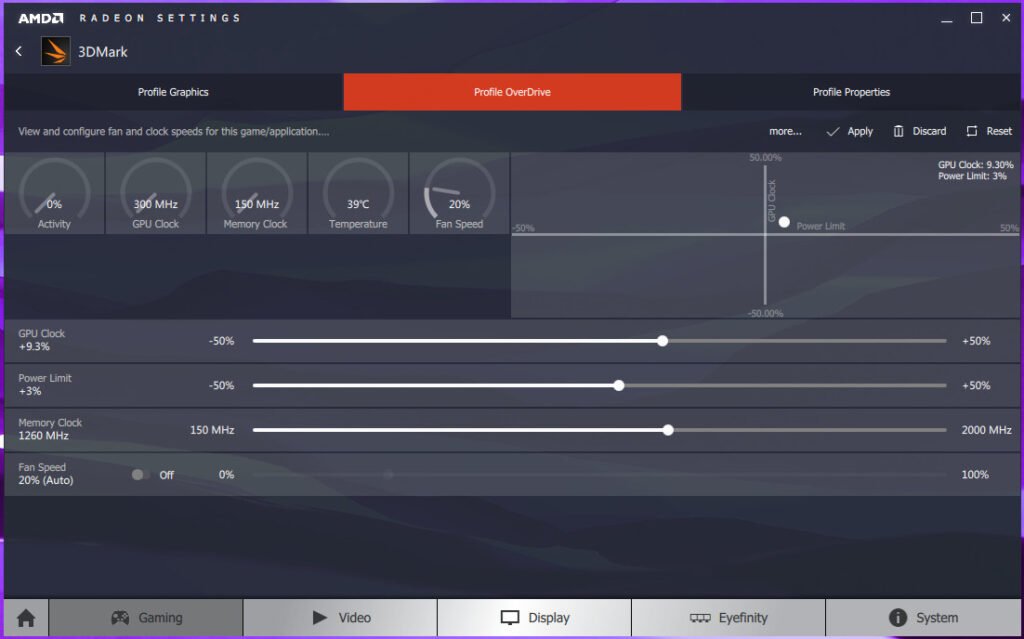
3. AMD OverDrive
AMD OverDrive provided advanced performance tuning options.
Functions
- GPU clock adjustment
- Fan speed control
- Temperature monitoring
- Power management
Advantages
- Better system control
- Enhanced performance
- Custom cooling profiles
4. AMD FreeSync Support
FreeSync technology helps eliminate screen tearing and stuttering.
Benefits
- Smoother gameplay
- Better visual quality
- Reduced screen tearing
- Lower input latency
5. Eyefinity Multi-Monitor Support
AMD Eyefinity allows users to connect multiple monitors.
Common Uses
- Gaming setups
- Trading workstations
- Productivity environments
- Content creation
Advantages
- Expanded screen space
- Improved multitasking
- Enhanced immersion
6. Improved Power Efficiency
AMD Crimson Software introduced better power management features.
Benefits
- Reduced power consumption
- Lower temperatures
- Better laptop battery life
- Increased system efficiency
AMD Crimson Software Features at a Glance
| Feature | Benefit |
|---|---|
| Radeon Settings | Faster and modern interface |
| Gaming Profiles | Game-specific optimization |
| FreeSync Support | Smoother gaming experience |
| Eyefinity | Multi-monitor support |
| OverDrive | Performance tuning |
| Driver Updates | Easy maintenance |
| Power Management | Improved efficiency |
Supported Graphics Cards
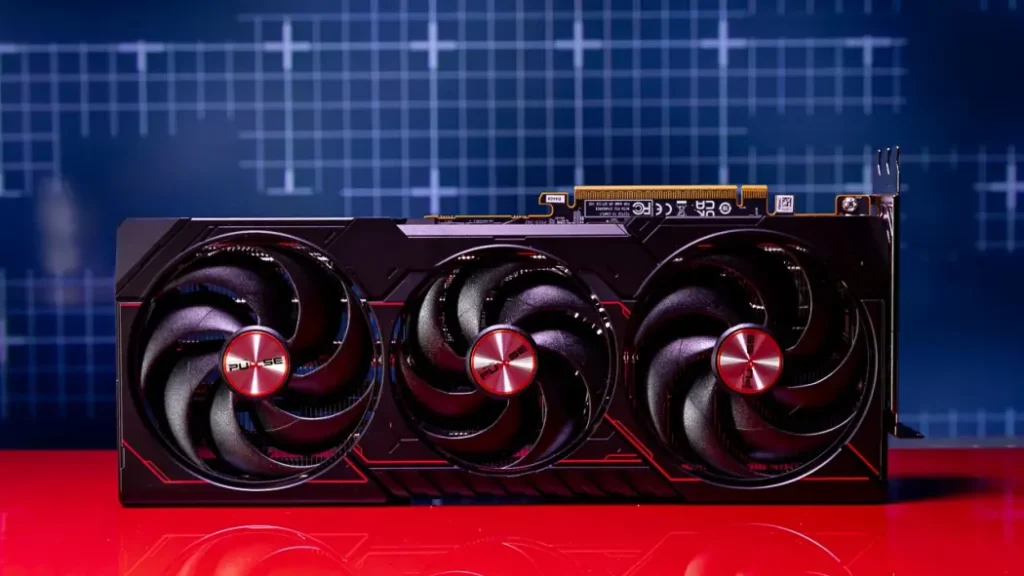
AMD Crimson Software supports a wide range of Radeon graphics cards.
Supported Series
- Radeon HD 7000 Series
- Radeon R5 Series
- Radeon R7 Series
- Radeon R9 Series
- Selected Legacy Radeon GPUs
Best Compatibility
- AMD Radeon R7 370
- AMD Radeon R9 380
- AMD Radeon R9 390
- AMD Radeon R9 Fury
- AMD Radeon HD 7970
How to Install AMD Crimson Software
Installing AMD Crimson Software is straightforward.
Step 1: Remove Old Drivers
Before installation:
- Uninstall previous AMD drivers
- Restart your computer
- Remove leftover driver files if necessary
Step 2: Download the Driver
Make sure you download the correct version for your graphics card and operating system.
Step 3: Run the Installer
- Launch the setup file
- Accept the license agreement
- Choose installation options
Step 4: Complete Installation
- Finish installation
- Restart the computer
- Open Radeon Settings
Step 5: Configure Settings
After installation:
- Update game profiles
- Configure displays
- Adjust graphics settings
- Enable FreeSync if supported
AMD Crimson vs AMD Catalyst
One of the most common comparisons is Crimson versus Catalyst.
| Feature | AMD Catalyst | AMD Crimson |
|---|---|---|
| Interface | Older Design | Modern Design |
| Startup Speed | Slower | Faster |
| Navigation | Complex | Simplified |
| Performance | Standard | Improved |
| Gaming Features | Limited | Enhanced |
| User Experience | Average | Better |
Winner
AMD Crimson is significantly better than Catalyst in terms of usability, speed, and overall user experience.
AMD Crimson vs AMD Adrenalin
AMD later introduced Adrenalin as the successor to Crimson.
| Feature | Crimson | Adrenalin |
|---|---|---|
| Driver Support | Legacy | Current |
| Game Optimization | Good | Excellent |
| Streaming Features | Limited | Advanced |
| Performance Monitoring | Basic | Advanced |
| User Interface | Modern | More Advanced |
| Updates | Older | Active |
Which Is Better?
For modern systems, Adrenalin is the better option.
For older AMD graphics cards, Crimson may still provide better compatibility.
Gaming Performance Analysis
AMD Crimson Software focused heavily on gaming improvements.
Areas of Improvement
- Faster driver response
- Better frame rates
- Reduced stuttering
- Enhanced graphics optimization
Games That Benefited
- Battlefield Series
- GTA V
- Dota 2
- Counter-Strike
- Tomb Raider
- Far Cry Series
Gaming Advantages
- More stable performance
- Better visual quality
- Improved responsiveness
Common AMD Crimson Software Problems and Fixes
Even though Crimson improved stability, users occasionally encounter issues.
Problem: Radeon Settings Not Opening
Solution
- Restart AMD services
- Reinstall the driver
- Update Windows
Problem: Driver Installation Failed
Solution
- Remove old drivers completely
- Download the correct version
- Disable antivirus temporarily
Problem: Performance Issues
Solution
- Update graphics drivers
- Reset Radeon settings
- Check system temperatures
Problem: Display Detection Errors
Solution
- Reconnect cables
- Update display drivers
- Reconfigure monitor settings
Pros and Cons
Pros
- Faster than Catalyst
- Improved interface
- Better gaming performance
- Enhanced stability
- Easy navigation
- Good legacy support
Cons
- No longer actively developed
- Missing modern features
- Limited support for newer GPUs
- Replaced by Adrenalin
Is AMD Crimson Software Still Worth Using?
The answer depends on your hardware.
Use AMD Crimson If
- You have an older Radeon graphics card
- Your system performs well with Crimson
- Newer drivers create compatibility issues
Upgrade to Adrenalin If
- Your GPU is supported
- You want the latest gaming optimizations
- You need modern features
- Security updates are important
Frequently Asked Questions
1. What is AMD Crimson Software?
AMD Crimson Software is a Radeon graphics driver package that replaced Catalyst Control Center and introduced a faster, more modern interface with improved gaming features.
2. Is AMD Crimson Software still supported?
AMD has largely moved to Adrenalin drivers, but Crimson remains useful for some older Radeon graphics cards.
3. What are the main features of AMD Crimson Software?
Key features include Radeon Settings, FreeSync support, gaming optimization, performance tuning, driver management, and multi-monitor support.
4. Is AMD Crimson better than Catalyst?
Yes. Crimson offers a better interface, faster startup times, improved navigation, and enhanced gaming performance compared to Catalyst.
5. Should I upgrade from Crimson to Adrenalin?
If your graphics card supports Adrenalin, upgrading is generally recommended because it provides newer features, security updates, and better game optimization.
Conclusion
AMD Crimson Software marked a major turning point in AMD’s graphics driver development. By replacing Catalyst Control Center with a faster and more user-friendly platform, AMD delivered significant improvements in performance, stability, gaming optimization, and overall usability. While modern Radeon Adrenalin drivers have taken its place, AMD Crimson Software remains an important solution for users with older Radeon graphics cards. Its combination of performance enhancements, simplified controls, and gaming-focused features helped establish the foundation for AMD’s modern graphics software ecosystem.